Overview
Shareable links let you walk colleagues through your work exactly as you did it — no screenshots, no messy notes. Whether you’re comparing responders to non-responders, looking at timepoints, or slicing by specific cell populations, the link preserves your cytometry analysis view so others can see it the same way.
Use it to:
- Share cytometry analyses, including box plots, volcano plots, and heatmaps
- Show colleagues your gating plots or QC reviews
- Share TokuKit and sample tracking views
- Collaborate without exporting or emailing files
Quick Start: How to Share Links
Step 1 – Navigate to a Page
Go to any page in the dashboard you want to share (e.g., Immune Changes, Kit Tracking, Sample QC).
Step 2 – Copy the URL
Use your browser’s URL bar to copy the full link.
Step 3 – Share the Link
Send the URL to a colleague. When they open it, they’ll see the exact same view you had.
What You Can Share
- Kit orders and sample tracking status
- Box plots, volcano plots, and heatmaps in Immune Changes
- Sample QC results and gating plots
- Any analysis view available in the dashboard
Example of a Shareable Link
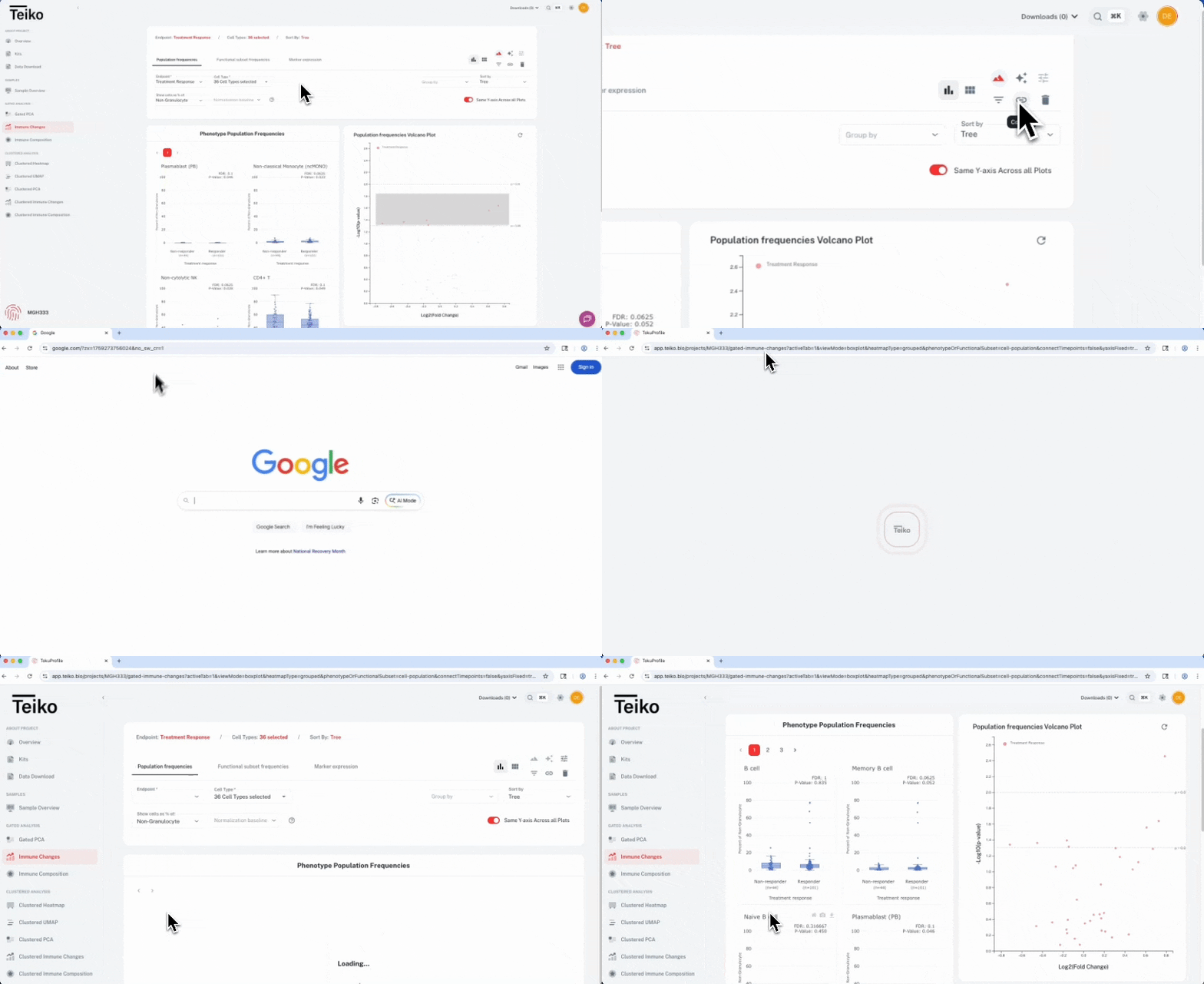
This example shows a shareable link to a Volcano Plot in Immune Changes, comparing responders vs. non-responders across multiple immune cell populations. When a colleague opens the link, they’ll see the same parameters, filters, and results you used: